selected → translated in place
Translate what you read.
Remember what matters.
Kioku translates any text you select on macOS. Your history becomes study material — and each week, AI picks the expressions worth keeping. A menu bar app for Japanese speakers who read and write English every day.
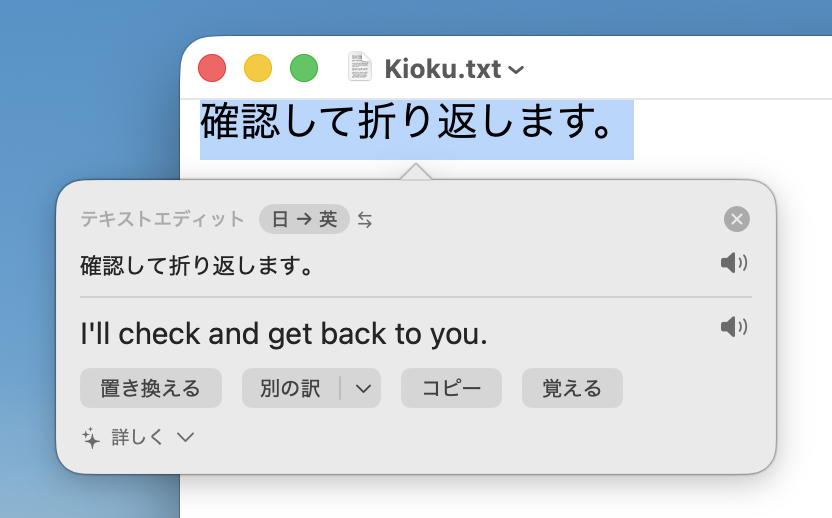
Select, click the icon, read the translation. Press 置き換える and the sentence is swapped right where you were typing.
How it works
The loopOne sentence, followed from the moment you look it up to the moment you know it.
Select text in any app and a small icon appears. Nothing is sent anywhere until you click it — selecting alone never touches the network.
Writing in English? Select your Japanese draft and Kioku swaps it for the English you pick, right where you were typing. Ask for a different tone — more casual, more formal, shorter — until it sounds right.
Every translation is kept locally, with the app you were in and when. This is the part most tools throw away, and it is the part worth keeping.
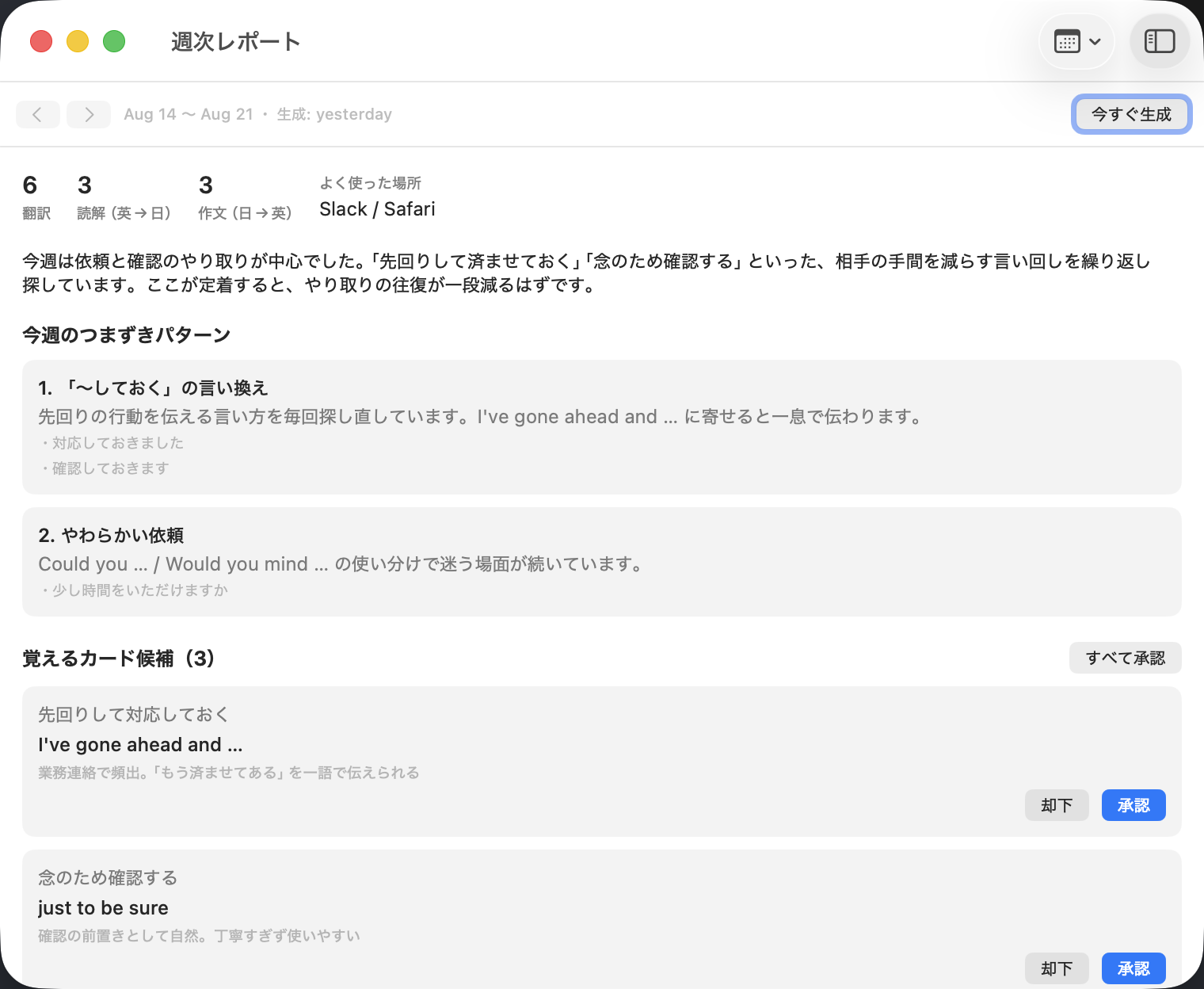
Once a week, an AI reads your history, points out the patterns you keep stumbling on, and proposes a handful of flashcards. You approve the ones you want. Nothing becomes a card without your say-so.
Review with spaced repetition — three ratings, twenty cards a day at most, so a session stays under five minutes.
The app
Screens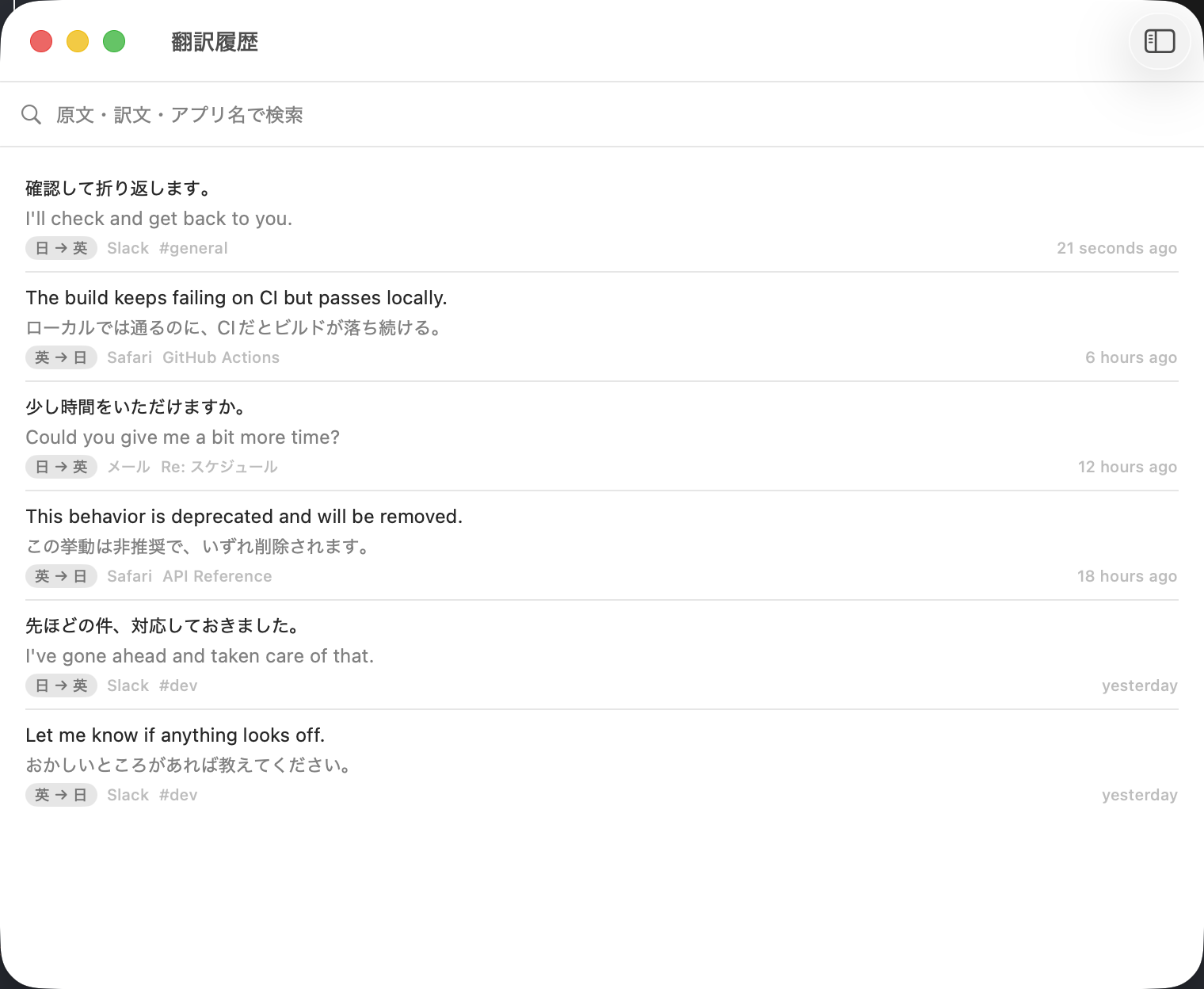
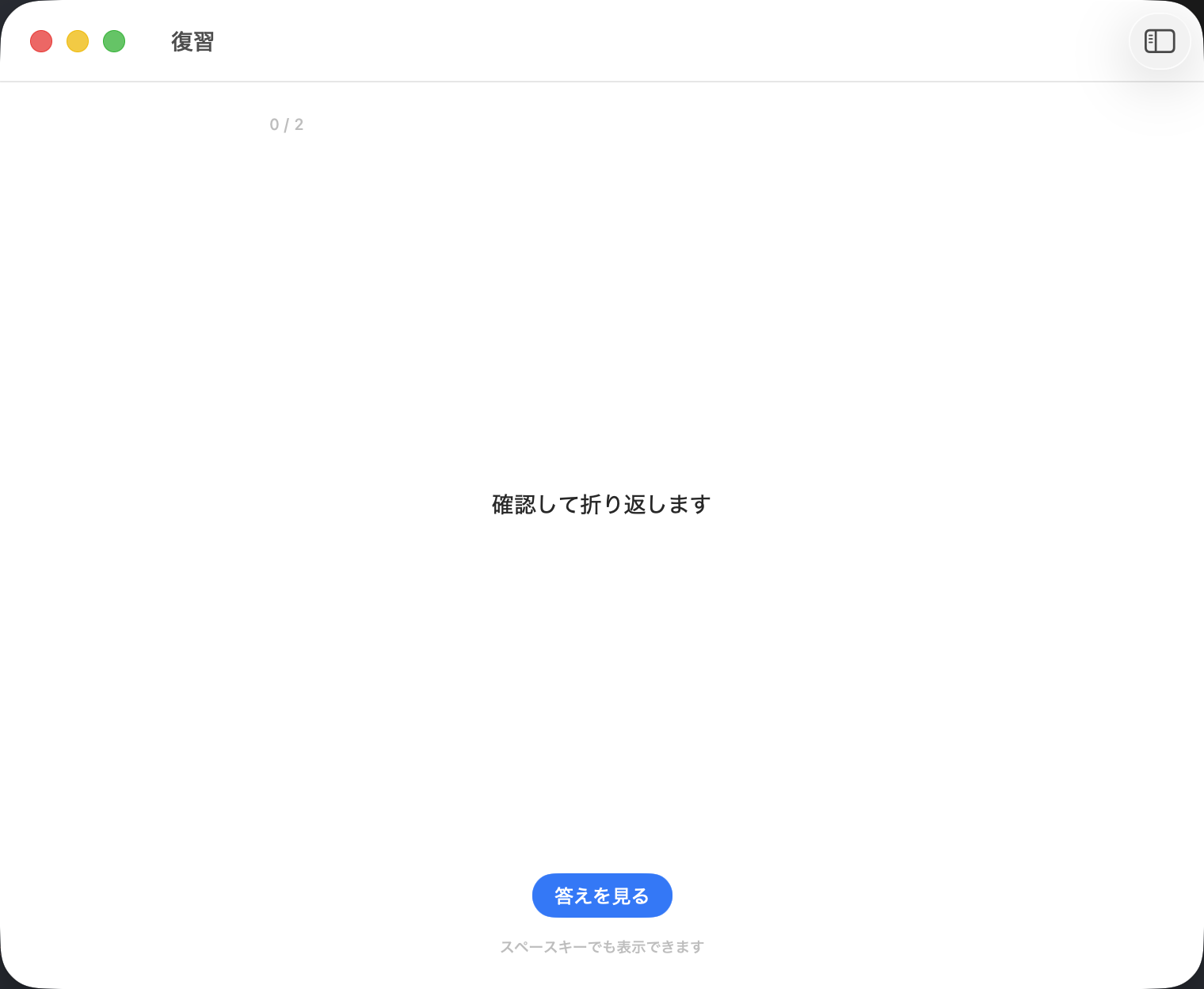
Still with us?
確認して折り返します。
I'll look into it and get back to you.
That is the whole idea. You saw this phrase once at the top of the page, and a minute later you were asked to recall it. Kioku does the same thing with the English you actually run into, spaced in weeks rather than minutes.
Privacy
Privacy- Nothing is sent until you click.
- Selecting text only brings up an icon. No network request happens.
- You can choose to send nothing at all.
- Pick Apple's on-device translation and your text never leaves the Mac. It works offline, and costs nothing.
- There is no Kioku server.
- The API key is yours. Text goes from your Mac straight to the provider you configured.
- Some apps are excluded from the start.
- Password managers are excluded by default, and you can add any app. In an excluded app the icon never appears.
- Your history stays with you.
- Translations, cards and reports live in a local database you can inspect or delete yourself.
Install
InstallKioku is not notarised yet, so there is no prebuilt download. Build it from source instead — you run code you can read, and there is no Gatekeeper warning to work around. macOS 26 and Xcode are required.
Accessibility permission is needed to read the text you select. That same requirement is why Kioku cannot ship on the Mac App Store. Full steps are in the README.
TERMINALbrew install xcodegengit clone https://github.com/dai199/kioku.gitcd kiokumake run